
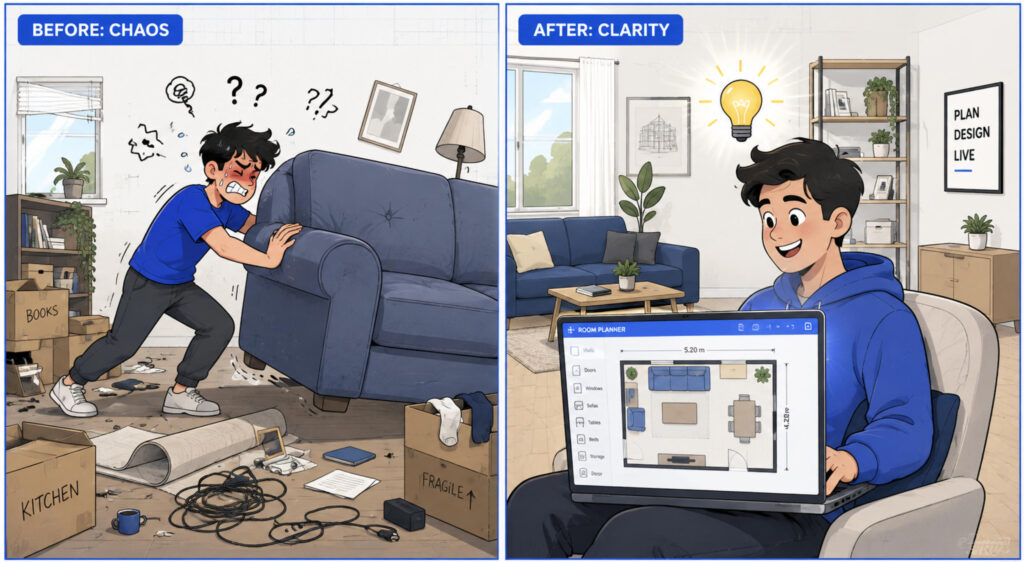
RoomFit — the free 2D Room Planner
RoomFit is a simple online Room Planner that works in true, real-world scale. Use this Room Planner for furniture, doors and windows: set your real room size in centimeters and instantly see what fits, what overlaps, and where you still have a clear walkway.
Unlike a rough sketch, this Room Planner measures everything honestly. Drop in a bed, sofa, wardrobe or a custom-sized piece, and the Room Planner highlights collisions, tight clearances and blocked doors on its own — a fast, easy 2D Room Planner for furniture that runs right in your browser.
Features
Why RoomFit is a better Room Planner
Most tools give you a pretty picture. RoomFit is a Room Planner that measures — a true-to-scale Room Planner for furniture, doors and windows that tells you what actually fits before you lift a thing.
Everything in real scale
This Room Planner draws your room and every piece in true centimeters, so “it fits” means it genuinely fits — not just on paper.
Doors with a real swing
Add as many doors as you need, set the hinge side and which way they open. The Room Planner draws the swing arc and turns the door amber the moment furniture blocks it.
Windows you won’t block
Drop a window on any wall. Slide a wardrobe in front of it and this Room Planner for furniture highlights the window right away, so you never plan a piece across your daylight.
Live conflict checks
The Room Planner watches the geometry for you: overlaps, pieces past the wall and tight walkways are colored the instant they happen. Nothing is ever moved silently behind your back.
Export & share
Save your plan as a PNG image or a printable PDF with a title block, real sizes and scale — ready to send to a partner, a mover or the furniture store.
No install, no 3D
A simple 2D Room Planner that runs in any browser, with a mouse or by finger. No sign-up, no CAD, no 3D to learn — and it’s free.
How it works
Plan your room in four steps
From an empty room to a finished, to-scale layout — the Room Planner keeps every step honest and quick.
Set your room
Enter the real width and height in centimeters. The Room Planner scales the room to fit your screen automatically.
Add furniture, doors & windows
Pick from the library or set a custom size, then place each item in the Room Planner for furniture at true scale.
Read the highlights
The Room Planner colors collisions, pieces outside the wall, tight passages and blocked doors — so problems find you.
Save or export
Save the project to a file to reopen later, or export the plan to PNG or PDF to keep, print and share.
Use cases
Who the Room Planner is for
Anyone who wants to avoid an expensive “it didn’t fit” — this Room Planner for furniture earns its place before moving day, a renovation or a big purchase.
Moving & renting
Check that the sofa or bed fits your new flat, and arrange the whole layout in the Room Planner before the truck arrives.
Renovation
Plan the furniture layout, keep walkways clear and account for every door and window while the room is still on screen.
Buying furniture
Enter a specific wardrobe or table by its real size and let the Room Planner confirm it fits without covering a window or blocking a door.
Designers & sellers
Sketch a quick, to-scale layout for a client in this Room Planner for furniture and export it to PDF in about a minute.
FAQ
Room Planner — frequently asked questions
Do I need a 3D editor or CAD?
No. RoomFit is a 2D Room Planner on purpose. You get an accurate top-down plan without the weight of CAD or the fiddliness of 3D — you just place furniture and read the result.
Is the Room Planner accurate?
Yes. Every room, wall, door and piece of furniture is measured in real centimeters, and the geometry is calculated honestly. When the Room Planner says something fits, it fits.
Does it work on a phone or tablet?
Yes. The Room Planner runs in any modern browser and supports both mouse and touch, so you can drag furniture with a finger on a phone or tablet.
Is my plan private?
Your plan stays in your browser — it isn’t uploaded to any server. You save the project as a file on your own device and open it again whenever you like.
What can I export?
You can export your layout as a PNG image or a printable PDF, each stamped with the plan name, real dimensions, area and scale — handy for a mover, a partner or a furniture store.
Is the Room Planner free?
Yes. This 2D Room Planner is free to use, with no sign-up and nothing to install — just open the planner above and start arranging your room.
Ready to see if it fits?
Open the Room Planner, set your room and start placing furniture — free, right here on this page.
Open the Room Planner Real scale · No 3D · No CAD · Free